
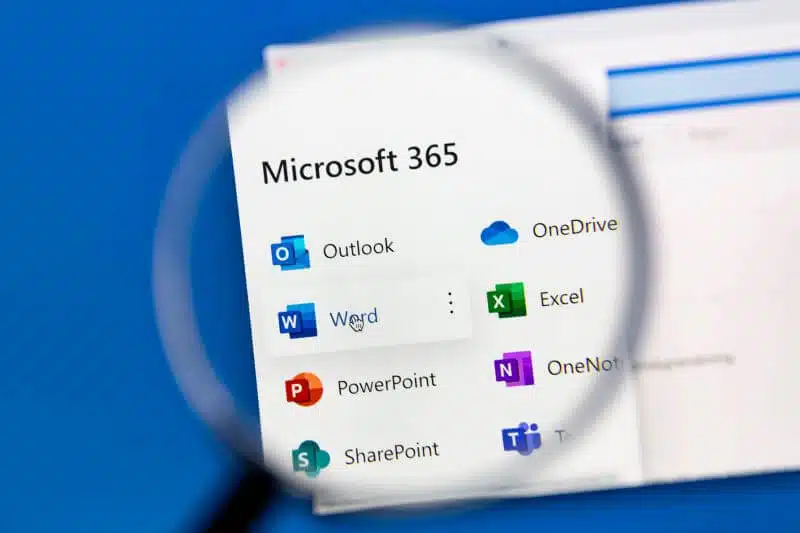
Microsoft 365 is a suite of cloud-based productivity and collaboration tools designed for businesses of all sizes. Formally known as Microsoft Office 365, the software includes popular applications such as Word, Excel, PowerPoint, and Teams, as well as a host of other tools and services like Microsoft Copilot that help streamline workflows and improve communication.
One of the key benefits of Microsoft 365 Business is its flexibility. The software can be accessed from anywhere with an internet connection, making it ideal for remote work and collaboration. Users can also access files and applications from multiple devices, including desktop computers, laptops, tablets, and smartphones.
Microsoft 365 also offers a range of security features to help protect sensitive data and prevent cyber-attacks. These include multi-factor authentication, data encryption, and advanced threat protection. Additionally, the software is designed to comply with a range of international and industry-specific regulations, making it suitable for businesses operating in highly regulated industries.
Overview of Microsoft 365
Microsoft 365 is a comprehensive suite of cloud-based productivity tools that includes Office 365, Windows 11, and Enterprise Mobility + Security. It is designed to help individuals and businesses of all sizes work more efficiently and securely, from anywhere and on any device, including mobile devices.
Users can access a range of applications, such as Word, Excel, PowerPoint, Outlook, Teams, and OneDrive, among others. These applications are continuously updated with new features and capabilities, ensuring that users always have access to the latest tools and technologies.
Microsoft 365 also offers powerful security features, such as advanced threat protection, data loss prevention, and identity and access management, to help protect users and their data against cyber threats. Additionally, it provides a range of compliance tools and features to help businesses meet industry-specific regulatory requirements.

Many potential users will know the office mobile apps
Microsoft 365 Applications
Microsoft 365 is a subscription-based cloud service that provides access to several productivity applications. These applications are designed to help users create, collaborate, and communicate more efficiently. Here are the key applications offered:
Word
Microsoft Word is a word processing application that allows users to create and edit documents. With Word, users can easily create professional-looking documents, such as reports, resumes, and letters. The application offers several features, including templates, formatting tools, and spell-check. Users can also collaborate with others in real-time, making it easy to work on a document together.
Excel
Microsoft Excel is a spreadsheet application that allows users to organize, analyze, and visualize data. With Excel, users can create spreadsheets that include formulas, charts, and graphs. The application offers several features, including templates, conditional formatting, and pivot tables. Users can also collaborate with others in real-time, making it easy to work on a spreadsheet together.
PowerPoint
Microsoft PowerPoint is a presentation application that allows users to create and deliver presentations. With PowerPoint, users can easily create professional-looking presentations, such as slideshows, pitches, and lectures. The application offers several features, including templates, animations, and slide transitions. Users can also collaborate with others in real-time, making it easy to work on a presentation together.
Outlook
Microsoft Outlook is an email application that allows users to manage their email, calendar, and contacts. With Outlook, users can easily send and receive emails, schedule appointments, and manage their contacts. The application offers several features, including email filters, calendar reminders, and contact groups. Users can also collaborate with others in real-time, making it easy to share their calendar with colleagues.
Teams
Microsoft Teams is a collaboration application that allows users to chat, call, and meet with others. With Teams, users can easily communicate with their colleagues, whether they are in the same office or working remotely. The application offers several features, including chat channels, video conferencing, and screen sharing. Users can also collaborate on documents in real-time, making it easy to work together on a project.
Microsoft 365 Features
Microsoft 365 is an all-in-one productivity suite that offers a wide range of features to help businesses and individuals work more efficiently. Here are some of the key features:
Cloud Storage
One of the standout features is its cloud storage offering. With OneDrive, users can store and access files from anywhere, on any device. OneDrive also offers automatic syncing, so files are always up to date. Plus, with 1TB of online storage per user, there’s plenty of space for all your files.
Security
Microsoft 365 takes security seriously, and offers a range of features to keep your data safe. Multi-factor authentication helps prevent unauthorised access, while data loss prevention helps protect sensitive information. Plus, with built-in security and compliance tools, you can ensure your organisation is meeting regulatory requirements.
Collaboration Tools
Collaboration is key to any successful business, and Microsoft 365 offers a range of tools to help teams work together more effectively and share files. Microsoft Teams provides a central hub for team communication, while SharePoint allows for easy document sharing and collaboration. Plus, with real-time co-authoring in Word, Excel, and PowerPoint, multiple team members can work on the same document at the same time.
Mobile Access
In today’s mobile world, it’s important to be able to work from anywhere. Microsoft 365 offers mobile apps for iOS and Android, so you can access your files and collaborate with your team on the go. Plus, with mobile device management, you can ensure your company’s data stays secure on employee devices.
Pricing and Plans
Business Plans
Microsoft 365 offers three business plans: Basic, Standard, and Premium. The Basic plan costs £3.80 per user per month and includes email hosting, web versions of Office apps, and 1TB of OneDrive storage. The Standard plan costs £9.40 per user per month and adds desktop versions of Office apps, mobile device management, and advanced security features. The Business Premium plan costs £15.10 per user per month and includes everything in the Standard plan plus advanced compliance features and audio conferencing.
Enterprise Plans
Microsoft 365 offers four enterprise plans: E1, E3, E5, and F3. The E1 plan costs £6.90 per user per month and includes email hosting, web versions of Office apps, and 1TB of OneDrive storage. The E3 plan costs £17.60 per user per month and adds desktop versions of Office apps, mobile device management, and advanced security features. The E5 plan costs £31.20 per user per month and includes everything in the E3 plan plus advanced compliance features and audio conferencing. The F3 plan costs £2.60 per user per month and is designed for frontline workers, offering email hosting, web versions of Office apps, and basic security features.
Education Plans
Microsoft 365 offers two education plans: A1 and A3. The A1 plan is free for educational institutions and includes email hosting, web versions of Office apps, and 1TB of OneDrive storage. The A3 plan costs £2.60 per user per month and adds desktop versions of Office apps, mobile device management, and advanced security features. Overall, Microsoft 365 offers a range of plans to suit different business and educational needs and budgets.
Benefits of Microsoft 365
Microsoft 365 is a cloud-based platform that offers a wide range of workplace solutions and benefits to businesses of all sizes. Here are some of the key benefits:
Increased Productivity
Microsoft 365 provides a range of tools that help businesses to increase productivity. With Microsoft Teams, employees can collaborate on projects in real-time, no matter where they are located. Microsoft 365 also includes a range of productivity tools such as Word, Excel, and PowerPoint, which are all available online. This means that employees can access these tools from anywhere, without the need to install software on their local machines.
Cost Savings
Microsoft 365 can help small, medium or large businesses to save money in a number of ways. Firstly, businesses can reduce their hardware costs as it is a cloud-based platform. This means that businesses do not need to invest in expensive on-premises servers. Additionally, Microsoft 365 is a subscription-based service, which means that businesses can pay for what they need, and scale up or down as required. This can help businesses to save money on licensing costs, as they do not need to purchase licenses for software they do not use.
Flexibility and Scalability
Microsoft 365 is a flexible and scalable platform that can be tailored to meet the needs of businesses of all sizes. Businesses can choose which services they require and can add or remove services as their needs change. This means that businesses can scale up or down as required, without having to worry about the costs associated with purchasing and maintaining hardware.
Enhanced Security
Microsoft 365 provides businesses with enhanced security features that help to protect against cyber threats. With Microsoft 365, businesses can benefit from advanced threat protection, which helps to protect against phishing and malware attacks. Microsoft 365 also includes features such as data loss prevention, which helps to prevent sensitive data from being leaked outside of the organization.
Recent Comments